
djEnterprises · Productivity
One photo. Every item in it.
Open a box, point the camera, and everything inside gets named and listed — all of it at once, not one thing at a time. Each item lands in a room and, if you want, a numbered box you wrote on the cardboard with a marker.
 Available now
Available now on the App Store. Built by djEnterprises.
See It In Action
Thirty seconds, box to answer
One photo lists everything in it. Months later, you type a name and it tells you which box.
Vertical cut for social: download the 9:16 reel
On the App Store
A Look Inside
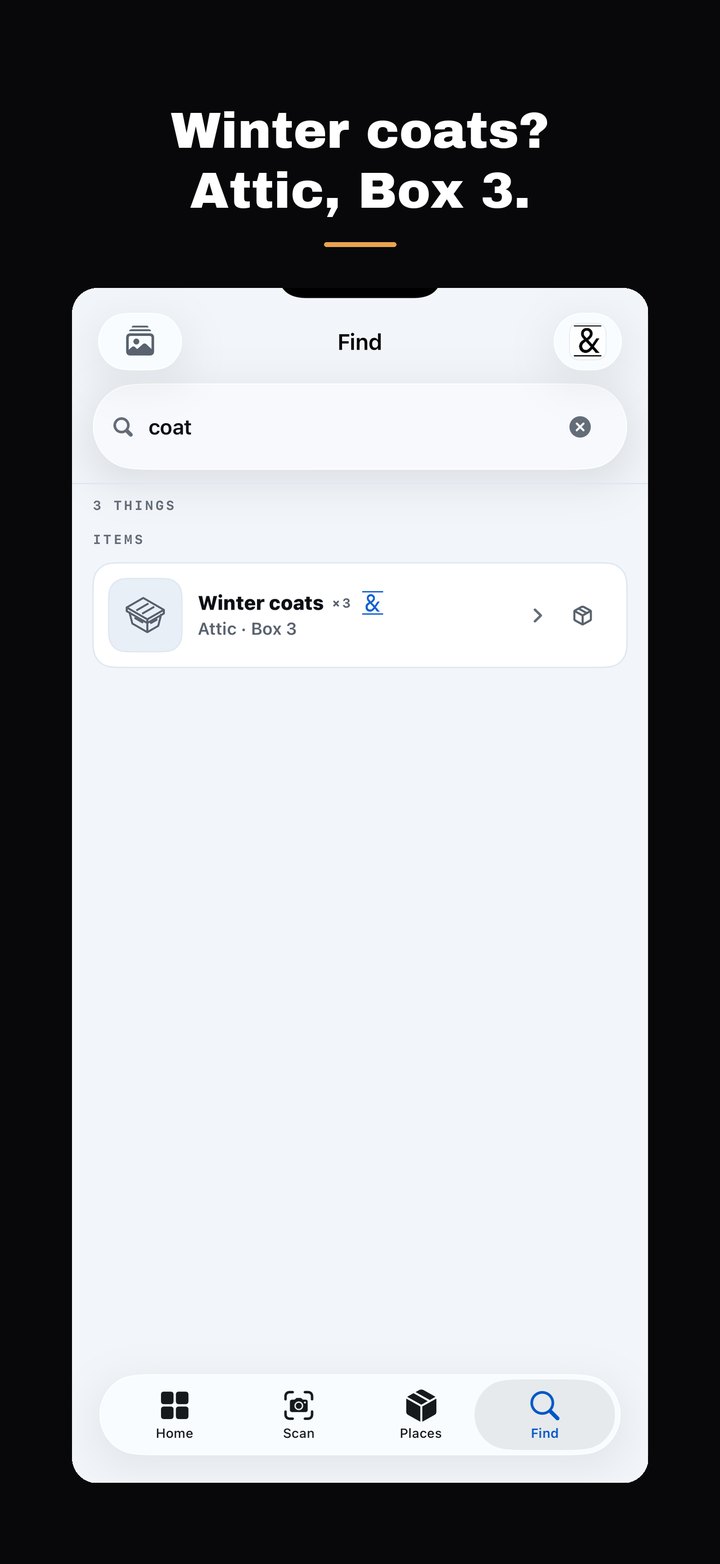
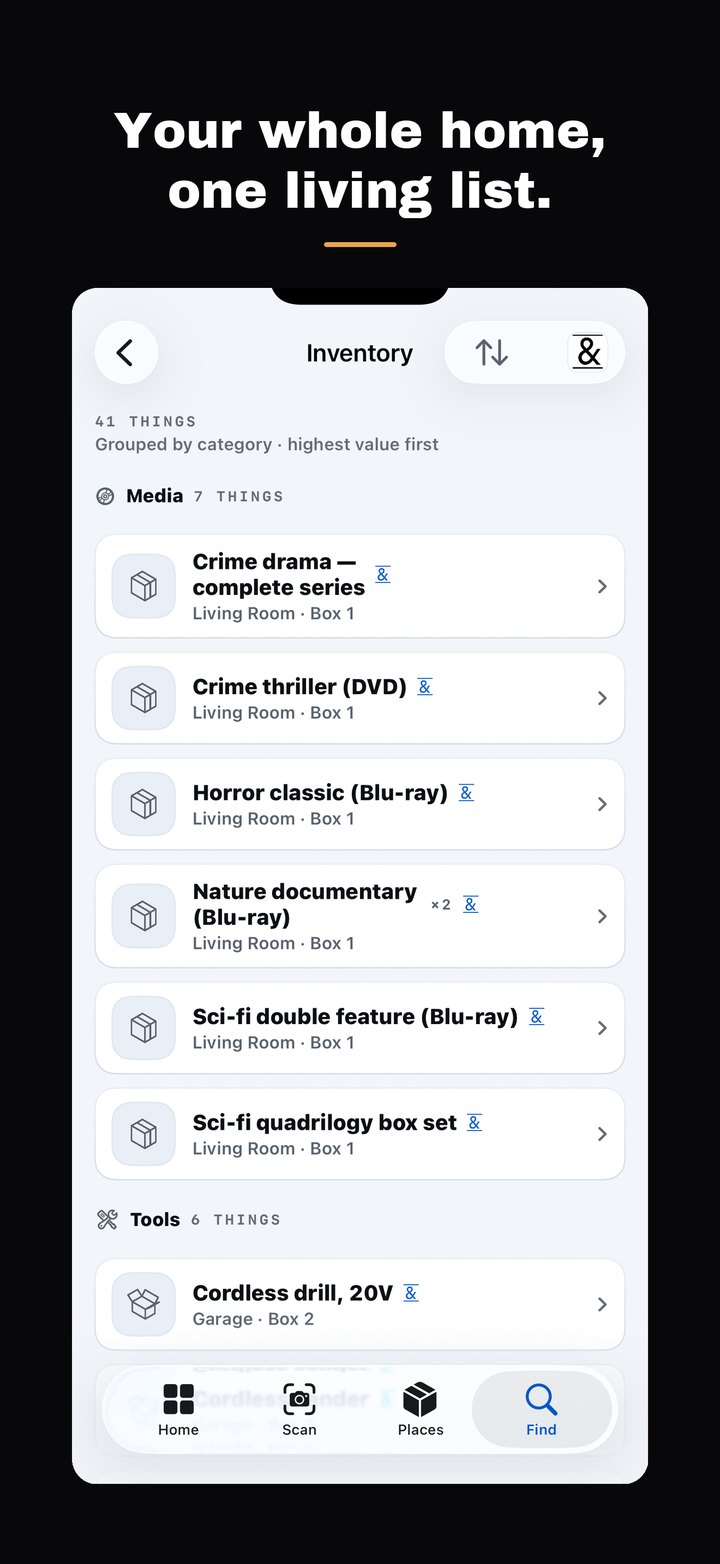
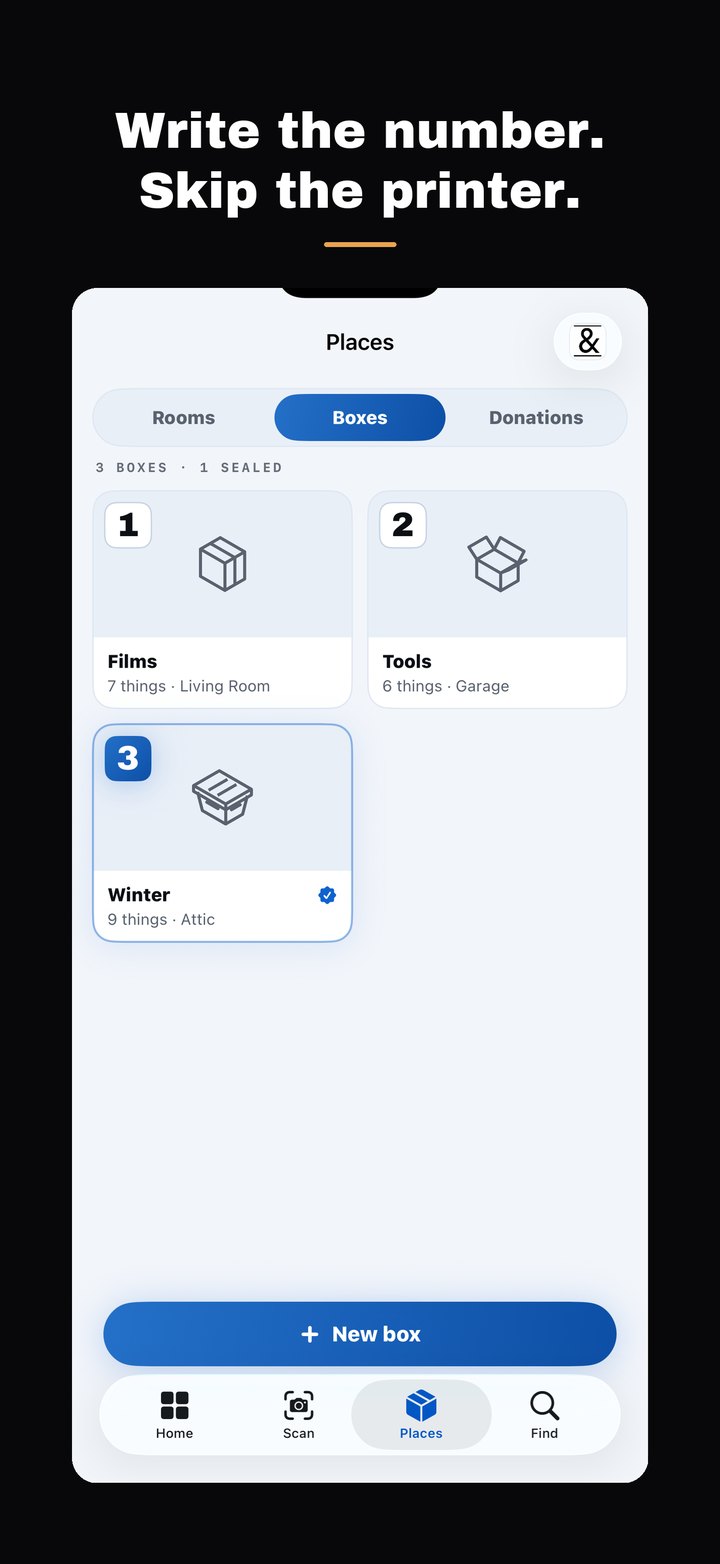
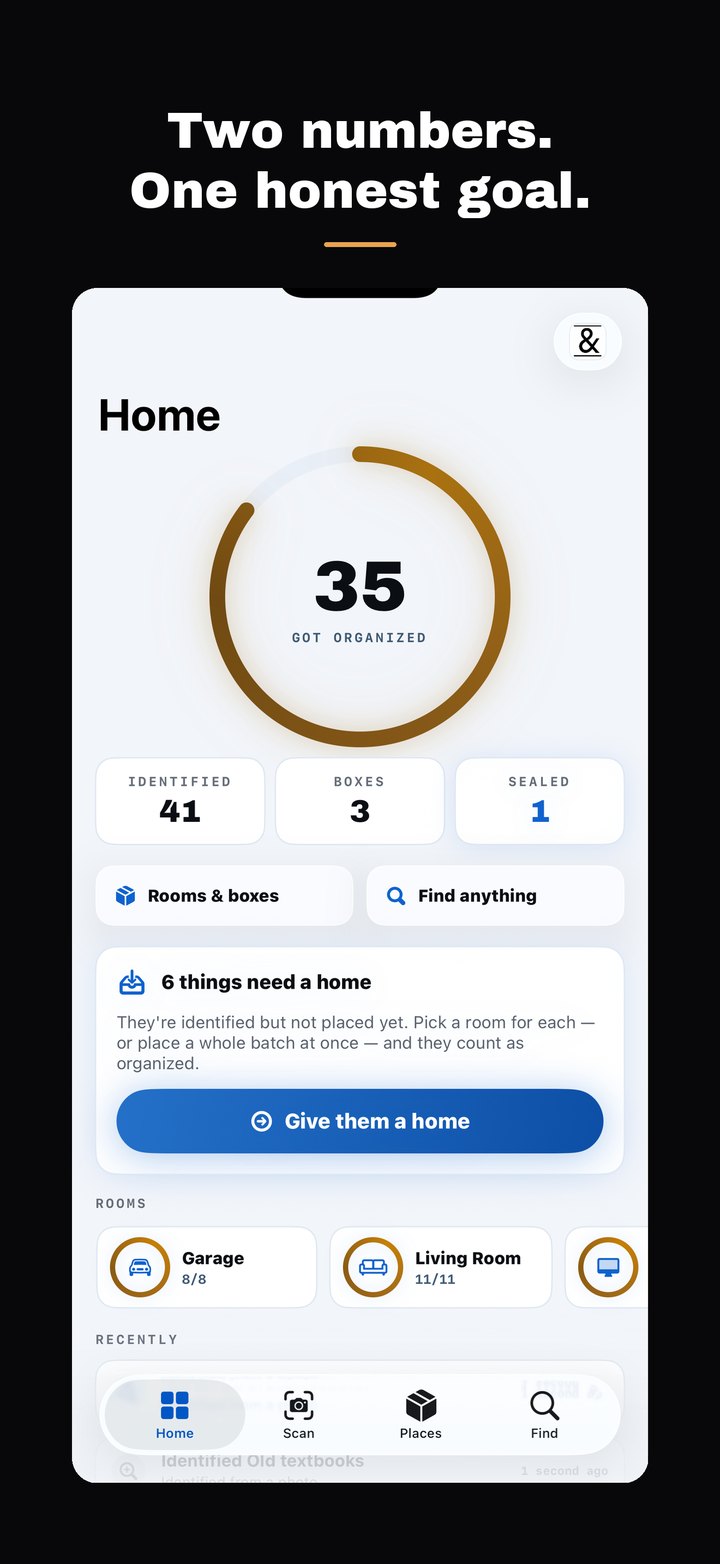
Two numbers drive the whole app: what it has Identified, and how much of it has Got Organized — a room, and optionally a box. Giving something a home is what earns the ampersand.
Full Feature Set
Everything In The App
The free app is a complete inventory tool. Pro lifts the daily scan limit and adds the report.
Scan a whole shelf
A drawer, a closet floor, an open box, or one thing you just bought. Take up to ten photos in one go, and everything in each one gets listed.
Nothing saves behind your back
Every scan opens a list first. Rename, change a quantity, delete a row, or add what it missed. Your wording is what gets saved.
It asks before doubling up
When a new scan looks like something already in your inventory, the app asks: same one, another one, or different. It remembers your answer.
Numbered boxes, no labels
The app gives you a number. You write it on the real box with a marker. There is nothing to buy and nothing to print.
Find it later
Type a name and the app tells you the room, the box number, and shows you the photo of that box.
Change several at once
Select items in the browser, in Find or inside a box, then move, tag or delete them together.
Share photos straight in
Send photos over from Photos or Files, and they wait in the scan tray for the next time you open the app.
Rooms that match your home
Kitchen, Garage, Attic, Safe, Vault — or rooms you invent. Each shows how far through it you are.
Donated and thrown out
Mark something gone and it leaves your counts but stays searchable, so you can answer what you gave away last year.
A report that shows what changed
The Pro report can add a page of what arrived, what got a home, what moved, and what was donated or thrown out since a date you choose.
Works with no signal
Scan anyway. The photo waits its turn and finishes when you are back.
A widget and a Face ID lock
Both numbers on your home screen, and the whole inventory behind Face ID if you want it.
Under the Hood
Key Technical Discriminators
The specific engineering choices, and what each one buys you.
Many items from one photograph
The vision pass returns every object it can see in a single picture — up to thirty in one pass — rather than one item per shot. That is the difference between inventorying an open box in one photo and photographing thirty things one at a time.
Your belongings are encrypted in iCloud as named fields
Item names, notes, tags, room names, box labels and history entries are marked as encrypted CloudKit fields. With Apple's Advanced Data Protection switched on, those fields are end-to-end encrypted — not even Apple can read what you own.
Your home is never in a database of ours
Sync runs through your own iCloud private database, and djEnterprises runs no server holding a copy of what you own — nothing to breach and nothing to subpoena. No account is required to use the app: signing in with Apple is optional, gates nothing, and changes none of the above.
Paperwork is meant to stay unread
Documents and mail come back as a description of the pile. The model is instructed not to transcribe them, and the server strips personal numbers and addresses out of any result before it reaches your phone.
A marker beats a label printer
Every box system that depends on QR or NFC stickers stops working the moment you run out of stickers. A number written in marker survives a house move, a damp garage, and a dead phone battery.
How We Compare
Categories, not brands — a named rival's features change weekly.
| Capability | This app | Manual inventory apps | Label & QR systems |
|---|---|---|---|
| Many items from one photo | Yes | — | Some |
| Review before anything saves | Yes | n/a — you typed it | Varies |
| Nothing to buy or print | Yes — a marker | Yes | — requires labels |
| Fully usable without an account | Yes | Varies | Usually an account |
| Belongings encrypted in iCloud | Yes | Varies | Varies |
| Printed QR or NFC labels | — | — | Yes |
| Estimated values for insurance | — | Some | Some |
| Web or desktop access | — iPhone and iPad | Some | Some |
We deliberately do not print labels: the box system is a number you write in marker, so there is nothing to run out of. We also assign no values — the Pro report formats what you entered and is not an appraisal. Categories describe common app behaviour as of August 2026; all trademarks belong to their owners. One-time unlock or subscription — see the App Store.
Get It On Your Phone
iPhone and iPad. No account required. Add as much as you like by hand, free.